Tuesday, May 23, 2017

PBJ Drive

At 04/21/2016, NHS had organized a Peanut Butter and Jelly Drive for 2 hours. We made Peanut Butter and Jelly Sandwiches are those in need.

Community Service: Fund Raise

03/11/2016


2 and a half hours of Community Service with Khirul, Sean, and Aarish.  We raised money for the school by selling snacks and water during the parent-teacher conference.

Saturday, June 11, 2016

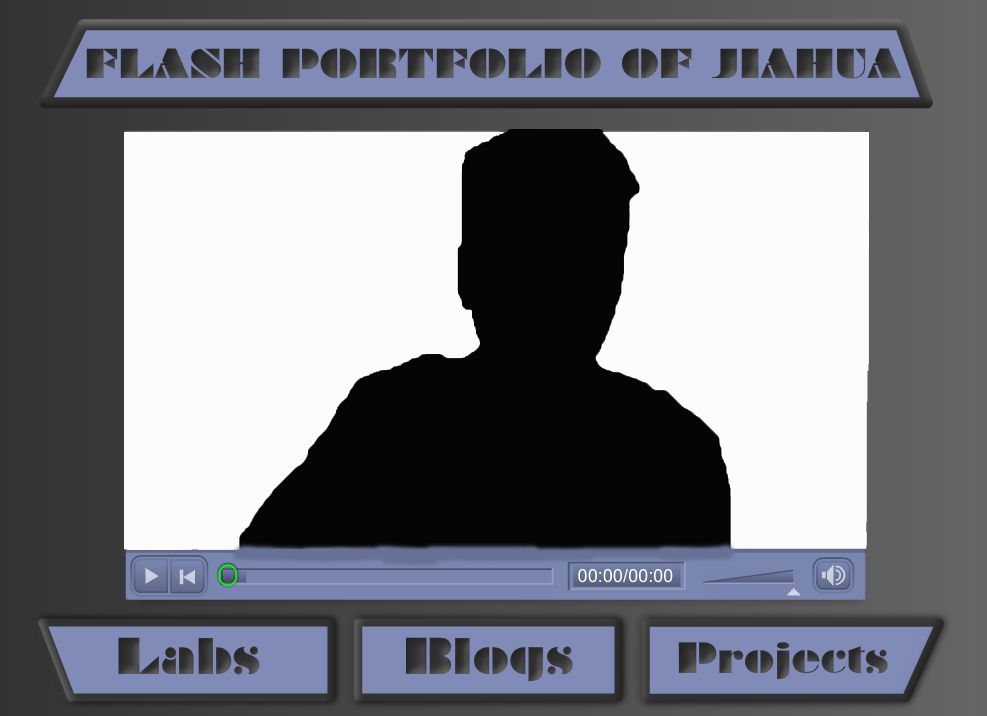
Project 7: Flash Portfolio

      This is our last project of the year. In this project, we have to use the video that we have created for lab 29, and the pop-ups created in lab 30 and further enhance it into a fully functional Flash e-portfolio that showcases all the labs and projects we created using Adobe Flash CS6. We have to create links of the labs and projects inside this Flash-portfolio. One advice from my teach is to not write the link to the remote server, because if the website is taken down, the links will not work anything.

      In my project I created 3 scenes. The first for the video, the second for the labs, and the last for my projects. The first scene is the same as what is done in lab 30, but I have added the buttons which will be seen and used in every scene. In the project scene, we only did 3 projects with Flash excluding this one, so there wasn't too much to put, so I have just 3 links and an image of each. On the lab scene, I simply just added all the links to it. But it felt too plain and lack of design, so I rearranged every link in the lab scene, made room in the middle and made it a preview space, so when u hover a link, there are images and examples to shown. I posted 2 videos in my web page, the first one is the one without the lab preview option, and the second one is with the preview option so to show the difference.

http://techteach.us/DD2015/HJiahua/Projects/Project7/PR7_Jiahua_DD.html

Friday, June 3, 2016

Lab 30: Flash Pop-ups

      In this lab, we need to use our videos that we just created in the previous lab for our flash portfolio and added pop up symbols using Adobe Flash CS6. This means that we need to learn to code it with Action Script, so we watched a video from adobe of it. It was very helpful. We first need to convert our mp4 or mov file to flv file by using Adobe Media Encoder, because that is the format that works best with Flash. Then in import it into out stage. We get to choose different type of playback buttons to add to our video. Then we set up cue points in the video, which are the time to cue the symbols to come out.

      Now when the video goes to certain length, symbols related to what I am talking about will pop up and disappear after a few seconds. This requires the codes we learned from the video. For example, when I mention something about Photoshop in the video, a symbol that I have created with Flash will pop up in the screen, then disappear after a few seconds. All of the symbols are created through Flash based on the original design with alterations.

Wednesday, June 1, 2016

Lab 28: Bone Tool

      In Adobe Flash CS6, there is a very interesting and useful tool called the bone tool. Just by the name you might not have guessed what it is used for, but it makes sense after you do. It is the tool to make objects and shapes to move smoothly as an armature which is essential to creating animations. So in this lab, this is what we have to do. Create an short animation of something, anything using the bone tool. To use the bone tool, you need to first create a origin point to be the center point of the shape, then create other points and those points will act like joints, like our body parts.

     In this lab I decided to create a blue robot running...and that's basically it, not much to explain. I first created a few shapes, for the head, body, hand, and legs, and a gradient background. The main part are the legs, because that is the part that I used the bone tool to make it look like it is running by create a center point between the body and the legs, a point each at the knees, and a point each at the foot. Then just move everything like a motion tween. I wanted to make it look like it is a gif the goes continuously, but the timing was too difficult, but I will try again next time.

Sunday, May 29, 2016

Lab 29: Self Introduction

      In this lab, we create a video for our flash portfolio with is a future project that will be completed by the end of this school year. This video is ourselves talking about everything we have learned in the web design acadamy in the last two school years as well as introducing what this class is about to the audience. In my video I introduced the academy of web design, explained what it is and what are the benefits of it. Then I talked about the software that I have used and learned in this class, and what I use them fore. I also mentioned a few of work that I have done and talked about how I feel about this class.

      The making of the video was not so easy for my. I am not good at writing, reading, and I already have trouble talking to people, so talking in front of a camera was even worse. I recorded a few times at school, but I messed up every single time, so I ended up filming at home. It was actually better, because I feel more comfortable speaking at home, and I have a good camera and a very nice microphone at home, which can produce a much more higher quality video than using the webcam of the MAC in school. I could even dress up a little for the video, which is a good compromise for my bad talking.

Wednesday, May 18, 2016

Project 6: Creating a Game

      For project 6 we have to create a game that is attractive, creative, clear, one that has good controls and have sounds. The game should be interesting and fun with contrasting colors and original graphics, clearly written rules, have sounds that feels and reflects the feel of the game, good controls with no errors with Actionscript. I decided to create a simple game targeting a younger ages of audience that mainly forces on good graphics and easy to navigate, so I created all the graphics myself within Adobe Flash CS6. This game is more like a interactive story, but it is also a game. My game is about the character going through a mysterious secret dungeon, but in order to find what he was looking for, the player of the game have to help him to pass all challenges and make the correct decisions.

      The game begins with the character coming to the door of the dungeon with a map on his hand while riding on a futuristic hover board. The user will need to click on the door to go to the next scene. Then the board that the character and the player will see will show what is required to for the character to find the treasure, which is by passing all three levels. This first level is to pass very simple maze where the character have to go to the destination without falling into the rivers. This may seems easy, but this was the scene that require most coding. After this level was passed, next is to answer a very ridiculous question that doesn't make much sense to myself either, but that is the point, to trick the player so the game is not too easy that it become to boring. If the correct question is selected,the player will be presented with the answer, then the scene of where all the treasures are at. But the treasure box is very secure and it needs a very specific object to open it. This is the third level where the player have to choose the correct object in the scene to win the game. But anything went wrong during the three levels, the game can be restated. 

http://techteach.us/DD2015/HJiahua/Projects/Project6/PR6_Jiahua_DD.html

Monday, April 18, 2016

CW Self Reflection

    In the last two marking periods, I felt that I did as I expected. Last semester, I did extremely good. I passed the Dreamweaver Certification Exam,got a few hundreds in a few classes, and had an average of 99.17%. It felt so impossible to have such achievement. For this semester, I want to do the same, but it is becoming more difficult. I have to prepare for more exams coming in the future, such as the SAT and the A+ Certification Exam which I failed at. It had been a extremely long time ever since I have failed at something, but it had helped me realize that I need to work harder to achieve the things I want, because not everything is that easy. I am just so thankful to have another chance to take the certification test, and I will put maximum effort into it.

     In web design class, I felt that I did alright. Wasn't too good or too bad at the same time. Everything required was completed, but not all were done great, and so I will try to change that. I always found myself have just not enough time to complete everything, this is mainly due to my poor time management behaviors. So I will try to maybe set a schedule for myself and maybe it will be better.

Friday, April 15, 2016

Synopsis

      Last you need to have a  synopsis of all the skills needed in the workplace, its like a summary of all the skills we need to succeed  in the workplace environment. When you are applying for a job, a positive attitude, enthusiasm, and a good networking can help you succeed in finding the job and applying for the job. So that there are a higher chance of people to hire you to do the job.

      And in the work place, you need to have good communication skills that you can listen well and knows how to communicate information and ideas to others.Good teamwork skills that you can help each other and complete the work better, which benefits everyone. Good critical thinking and problem solving skills can make your work easier, and more valuable in the employer's eyes. And last, professionalism, and that is to be on time, managing time effectively, and conduct responsibility.

Networking

      Another skill that is very helpful to your career is networking.  A good example of networking is if an intern knows all the information about a company and understand all the requirements and rules, the employer will ask him how did he got in, and he responds by saying that he did a research of the companies that might want him as a worker. He found this company and the owner of this company. He saw that a member of this company will be representing the company in the job fare, so he went to the job fare, introduced himself, and told him that he was interested in his company in result at a follow up interview. 

      In the interview, he will have a much better chance of being hire, because he have a little connections with the company. Networking is important, because network of people you know can really help when you are searching a job, since you get all the information you know from the people around you, and it can be as important as all of your other skills. And in web design, people might not be always out there to look for someone like you, so you have to create a good network to find you a good place to work.

Teamwork

      The next skill your need in the workplace is about teamwork. If woman come in to her co-worker and starts telling what a great work she did in her presentation, and claimed that she will show everyone the presentation and how wonderful it is. Everyone will think she is talking all the bragging about herself and many would not like that. But instead of taking all the credit for the presentation to herself since she is the only there, she told that it wasn't just herself who completed this presentation.

      Instead, she said that it was also a few co-workers that she worked with who gave her ideas, plans, worked together, and helped her in the project. Others will appreciate that she not only gave credit to herself, but also to all of those that helped her to complete her project. So when you get credit for something, always share the with your teammates, because "teamwork is a essential for success at the workplace. And employers look for worker who work well with others." At the same time everyone accomplishes more and benefits. In web design, one person, no matter how smart that person is, can only have a certain amount of ideas. But if it was a group of people working together, they can share many great ideas others can't ever think of.

Critical Thinking And Problem Solving skills


      Another important skills in the workplace is Critical Thinking And Problem Solving skills. When a teacher in a kindergarten school and she was looking for a pair of shoes for a kid, because a another kid stole those shoes, hid them during nap time and can't remember where he hid them.She need to use good critical thinking skills and create a plan for her so she was able to get the shoes back. 

      And since these things happens from time to time she need to create a solution or a plan that works in a long term period. She can use colored labels for all the items to keep them in order. No matter where you work, there will always be problem at the workplace, and good critical think and problem solving skills can help you be better while facing these problems. In web design, there are always errors that pops out without you noticing. So having such skills ready can help you to be able to always solve these problems easily.

Communication skills

       Communication skills are one of the most important soft skill needed in the work place. If you can't communicate well, then how are you going to speak for your self, how are you going to make connections, and show your talents. If a casher was using internet slang in her first day of her job to all her customers and none of them understood what she was talking about. This makes the communication difficult because it's a unusual language to use and it's not a proper language to use in the work place. 

      Communication skills are important because you need to send the correct message to the custom and also to receive the correct message from other, also a good communications skills can create a good relationship which others. In web design, you need to understand what your client requires you to do, and you need to be able to tell them your thoughts on it, maybe it wasn't a good idea, and you need good communication skills to pursue them in your idea to build a better website.

Professionalism

     The Next soft skill you need to have is professionalism. If the new employee shows up to work late, does only the things he was told to do, and when he drop something on the ground, he would not bother to to pick them up until the next day. He would most likely have a very bad impression to his co-workers and employers. The steps of professionalism includes to being on time, do the work that needs to be done even if no one told you to, and conducting yourself with responsibility. 

      In web design some examples of professionalism in class, such as good punctuality, good effort to work, do the things that needs to be done with out something telling you, and good time management. When you are have a website, you need to endlessly developing, fixing errors, and making it better, just because something is not required, that doesn't mean you shouldn't do it.

Thursday, April 14, 2016

Attitude and Enthusiasm

    In web design, it is important to have a  correct attitude and enthusiasm in the workplace. If a young men showed up into the interview with unprofessional street cloth, he didn't show a professional attitude, didn't show much respect, and talk on his phone to his friend during the Interview. He would most like not get the job and his co-workers might not like him either. 

      But if the same person showed up in a different situation where is prepared with business attire, gave good respect to the person he was in a interview with, and had a great attitude towards the workplace environment. He will have a better chance to get the job. Attitude and enthusiasm is important, because when you show good attitude and good enthusiasm such as dress professionally, be on time, good facial expressions, and be confident. It will give the those who work with you a good impression and you are more likely to get the job you are applying for.


Project 5: Interactive Story

      This is our first project for this marking period, the fifth project of this school year. In this project we have to create a interactive story. Meaning that this animation will require navigation from user in order to proceed or to make certain things to happen in the scene or go to the next scene. This will require much of the coding we have learned from the previous labs and have around 5-10 behaviors in this project. We need graphics that are vivid and give  clear represent the story and the settings. We need to have a good narrative that not only explain the story clearly, the descriptions has to have no errors. And also, it needs to be fun and interesting to interact with.

      In my project 5, I have use coding to make certain elements of the video clickable, to keep the user interested and be active as they are doing something. So I decided to create a story about racing, because I feel like I can reuse some of the elements from the previous labs that I did. My story starts with a guy saying that he is the fastest driver alive, the other doubts it. Since the other guy do not like people to brag, so they enters a race with the same model car. As the user click begin, an animation of the racing will begin. After the race, the user will pick who won the race. If the user picked the right one, he wins the game, if he chose the wrong one, he loses. I really wanted to make more, not just choosing who win, but more story afterwards, but the animation takes too much time, so time wasn't letting me to do so.


 http://techteach.us/DD2015/HJiahua/Projects/Project5/PR5_Jiahua_DD.html

Sunday, April 10, 2016

Trip 2: Armory Track

      Just the next week after the trip to New York Historical Society, we headed to the Armory Track where they had a huge large scale CS fair. There were so many large technology related companies colleges there. This trip was provided to the sophomores and juniors of the web design academy as well as the juniors of the apple academy. It was my first time having a trip with the apple academy where some of my very good friends are, so I was rather exited. But as of a result of around 120 students taking the subway, it was really not a good experience. We were required to dress up for this event, so I even went shopping for this. We were also told to create our resume and seek for internship during this event.

      After we have arrived to our destination, we had to wait quit a while outside of the building, standing, in lines. There were just so many people attending to this event. When we finally got in, we were provided lunch, so we ate first, then we began to go on the tracks to look around. What caught my attention right away was the gear vr headset the Verge was providing to let people to test out. I love the idea of virtual reality, I currently have a google cardboard, and was very exited to see the comparison between the two. There was quiet lots of people on the line, so I waited. After so long waiting, I watched a 360 degrees video of an interview if Michelle Obama with the gear vr. It was cool, immersive, and comfortable, but not as good as I expected it to be. I have also talked to the representative of Columbia University about some of the things that this University want from a student. I later on visited other places as well and after a awkward encounter, I kind of went back waiting to leave. I was also somewhat shy, so I didn't succeeded at getting a internship.


Friday, April 8, 2016

Trip: New York Historical Society


      In march 30, 2016, the digital design class had a WBL requirement trip to the New York Historical Society along with Ms. Ramirez and Ms. Deebrah. The trip began after 3rd period ended. We ride the subway from the E train first, then we transferred to the C and got of at 72 st. Before we when to the museum, we walked around central park and had lunch there. Ms. Ramirez talked to us about the famous explorer that was just in front of the central park and the place right across where John Lennon passed away, on that ground, it says "imagine."


     After lunch we moved on to the museum. Right after we go there, we got to watch a short movie about the evolution and history of New York City. What is special and unique about that 20 minute file was that it have separated projector screen that moved up and down to match the video which helped to show additional effects and can show different images at the same time. We then moved on to the Silicon City part of the museum will it shows the history and evolution of computing technology. Some of the exiting technology we saw was the Punched Card System invented by Herman Hollerith in 1890 to help calculate the census 7 years faster than the original. The mouse from the 1950's that was programmed to navigate a maze using binary coding. And many of the inventions of IBM, one of the many technology leading company at the time such as the storage devices and the old version of the computers we use. There were also networking devices, gaming devices like the Tennis for Two, type writers, and music devices.


      According to the guide, navigation of technology used to be jobs that suit women more until it had became very advanced. She also said that New York City used to be the center of development of technology, it was only later that it had shift to LA. There was so much to learn there, but we had only about an hour at the to stay at the museum, so it ended here. It was not bad.

Wednesday, March 30, 2016

Lab 27 Simple Game

      In the previous lab, we use Flash CS6 to create a interactive movie clip where the user can use the mouse or the arrow buttons we have placed in the clip to move the object. And to add to this, we have created two other scenes in the swf file and when the object reaches certain areas, it would switch to either of those scenes. One of the scenes is the losing scene and the other is the winning scene.  By adding much more action script where we have to write almost all by ourselves this time, we have made a very simple game that when the object reaches a certain point, it will either show you the winning scene or the losing scene depending on the area. And at the losing and winning scene, there will be a restart button the takes the user back to the first scene, so they can play the game again.


      The game I made is to let the dolphin to go back where it belongs. That means that the dolphin should be moved to where there are water, and not the moon. Therefore, when the user navigate the dolphin to the moon, which is where it doesn't belong, it will switch to the losing scene. If the dolphin is navigated to the river, it will switch to the winning scene. Both of the scene 2 and 3 have a restart button that brings the user back to scene 1 to play again. I have also added my minions into the losing and winning scenes, a sad minion at the losing scene and a happy minion at the winning scene to make the these two scenes more interesting and creative.


http://techteach.us/DD2015/HJiahua/Labs/Lab27/LB27_Jiahua_DD.html

Lab 26 Coding

      In this lab, we use Flash CS6 to create a interactive movie clip where the user can use the mouse or the arrow buttons we have placed in the clip to move the object. To make this, we use the code snippets to write our codes since we don't know exactly how to code. Then we just adjust the code to make it work.  This is the first time most of us are using action script, but since I have used c# coding before, I knew the fundamentals of coding, so it was not very difficult to understand. All we needed to make are just 4 functions, each for the buttons, and functions for the keyboard that needed absolutely no adjustments.


      I have created a set of black color buttons in the shape of triangles and have given them an arrangement to make it look like buttons pointing at each directions. My object is the dolphin that I have made in the previous labs. And this object can be moved by either the buttons on the screen or with the arrow keys on the keyboard after the code had been adjusted correctly.

http://techteach.us/DD2015/HJiahua/Labs/Lab26/LB26_Jiahua_DD.html